• Pricing
  • Demo
  • Features
  • Get Started
  • Support
  • Docs
  • Account
  • Blog
  • Updates

CheckoutWC

  • Pricing
  • Demo
  • Features
  • Get Started

Install CheckoutWC with Composer

June 23, 2020 by Clifton Griffin in Announcements
(Updated: November 16, 2026)

Composer support for CheckoutWC hodls everything together

Table of Contents

  • Install CheckoutWC with Composer
  • Why use Composer for a WooCommerce plugin
  • Get CheckoutWC

You can install CheckoutWC with Composer: add the CheckoutWC repository, with your license key in the URL, to composer.json, then run composer require objectivco/checkout-for-woocommerce. That gives you a versioned, repeatable install you can keep in version control, without uploading a zip in wp-admin.

Install CheckoutWC with Composer

  1. Add the repository to your composer.json, replacing YOUR_LICENSE_KEY with your CheckoutWC license key.
  2. Require the plugin.
  3. Activate it, then follow the getting started guide to set up your checkout.
{
    "repositories": [
        {
            "type": "composer",
            "url": "https://www.checkoutwc.com/composer/YOUR_LICENSE_KEY"
        }
    ]
}
composer require objectivco/checkout-for-woocommerce

Any Composer version constraint works, for example "objectivco/checkout-for-woocommerce": "^11.4" to take updates within 11.x. The full steps are in the CheckoutWC Composer installation guide.
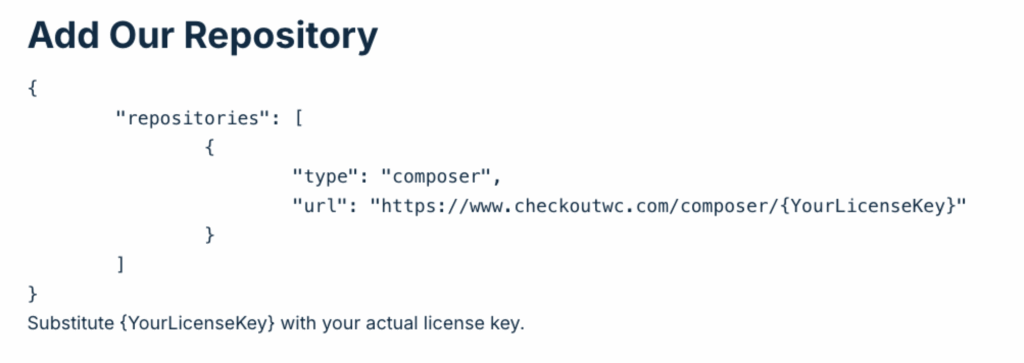
The CheckoutWC Composer installation guide in the documentation

Why use Composer for a WooCommerce plugin

Most premium plugins don’t offer a Composer endpoint, so developers end up with custom artifact repositories or post-install scripts. A Composer repository for CheckoutWC lets you:

  • Pin an exact version or a semver range
  • Update CheckoutWC like any other PHP package
  • Keep the plugin version in version control, next to the rest of your stack
  • Run the same install in staging, production, and CI, so the environments match

It fits stacks such as Bedrock and Trellis, and any CI pipeline that already runs composer install. We built ours with help from Delicious Brains, who publicly documented their own Composer setup for premium plugins.

Get CheckoutWC

Composer installs need a valid license key, and CheckoutWC is one plan with every feature, from $249 a year for one site. Local and staging sites don’t count toward your site limit; see the pricing page.

The simplicity of Shopify with the power of WooCommerce. Replace your WooCommerce checkout page with CheckoutWC to boost sales and reduce cart abandonment.


Get Started
Previous Article

CheckoutWC 3.7.0 Released

Next Article

Default WooCommerce checkout problems and how to fix them

Clifton Griffin

WooCommerce is my patronus. Husband of Jennifer. Father of three. Believer.

Share this Post

Table of Contents

  • Install CheckoutWC with Composer
  • Why use Composer for a WooCommerce plugin
  • Get CheckoutWC

The simplicity of Shopify with the power of WooCommerce. Replace your WooCommerce checkout page with CheckoutWC to boost sales and reduce cart abandonment.

Get Started

Supercharge your WooCommerce checkout

Stop losing sales at the final step. CheckoutWC is a drop-in upgrade that reduces abandoned checkouts and keeps customers happy.
Start Selling More
You won't regret it. We pinky swear.

Account

  • Account
  • Log In
  • Affiliate Program
  • Affiliate Agreement
  • Terms and Conditions and Refund Policy

Product

  • Features
  • Best WooCommerce checkout plugins compared
  • Flux Checkout vs CheckoutWC
  • CartFlows vs CheckoutWC
  • FunnelKit vs CheckoutWC
  • CheckoutWC Demos
  • Testimonials
  • Leave a Review

Support

  • Home
  • Documentation
  • Support
  • Contact
  • Need a Developer?

Our Good Friends

  • WP Sent Mail
  • Advanced Content Templates

Making the world a better place one WooCommerce checkout at a time and one support request at a time.

Made with by KestrelWP Icon Kestrel

Subscribe & Discount

Stay up to date and never miss a promotion, freebie, or update! Get a 10% OFF DISCOUNT for any premium plan for your first subscription year.

Copyright © 2026 CheckoutWC, All rights reserved.
CheckoutWC
Manage Consent

We use technologies like cookies to access or store device information. Consenting to these technologies will allow us to process data such as browsing behavior or unique IDs on this site. Not consenting may adversely affect certain features and functions.

Functional Always active
The technical storage or access is strictly necessary for the legitimate purpose of enabling the use of a specific service explicitly requested by the subscriber or user, or for the sole purpose of carrying out the transmission of a communication over an electronic communications network.
Preferences
The technical storage or access is necessary for the legitimate purpose of storing preferences that are not requested by the subscriber or user.
Statistics
The technical storage or access that is used exclusively for statistical purposes. The technical storage or access that is used exclusively for anonymous statistical purposes. Without a subpoena, voluntary compliance on the part of your Internet Service Provider, or additional records from a third party, information stored or retrieved for this purpose alone cannot usually be used to identify you.
Marketing
The technical storage or access is required to create user profiles to send advertising, or to track the user on a website or across several websites for similar marketing purposes.
  • Manage options
  • Manage services
  • Manage {vendor_count} vendors
  • Read more about these purposes
View preferences
  • {title}
  • {title}
  • {title}
CheckoutWC
Manage Consent
To provide the best experiences, we use technologies like cookies to store and/or access device information. Consenting to these technologies will allow us to process data such as browsing behavior or unique IDs on this site. Not consenting or withdrawing consent, may adversely affect certain features and functions.
Functional Always active
The technical storage or access is strictly necessary for the legitimate purpose of enabling the use of a specific service explicitly requested by the subscriber or user, or for the sole purpose of carrying out the transmission of a communication over an electronic communications network.
Preferences
The technical storage or access is necessary for the legitimate purpose of storing preferences that are not requested by the subscriber or user.
Statistics
The technical storage or access that is used exclusively for statistical purposes. The technical storage or access that is used exclusively for anonymous statistical purposes. Without a subpoena, voluntary compliance on the part of your Internet Service Provider, or additional records from a third party, information stored or retrieved for this purpose alone cannot usually be used to identify you.
Marketing
The technical storage or access is required to create user profiles to send advertising, or to track the user on a website or across several websites for similar marketing purposes.
  • Manage options
  • Manage services
  • Manage {vendor_count} vendors
  • Read more about these purposes
View preferences
  • {title}
  • {title}
  • {title}