WooCommerce cart abandonment tracking: measure and recover sales

Table of Contents
- Why your analytics looks empty when it comes to abandonment
- Step one: measure the leak with ConversionBridge
- How to confirm your tracking is actually working
- Step two: recovery is a different job
- Close the loop: measure, recover, measure again
- Measurement vs recovery: which tool does what
- Frequently asked questions
- Start plugging the leak
For every ten people who add something to their cart, seven leave without buying. That’s not an edge case you can ignore, it’s the single largest pool of almost-revenue your store has.
Here’s the frustrating part: most WooCommerce stores can’t even see it happening, and the ones that can usually have no system catching the people who leave. You need both. Visibility tells you how big the leak is and where it springs. A recovery engine actually plugs it. This post covers both, and how they work together as one loop, using ConversionBridge for the measuring and CheckoutWC for the recovering.
Why your analytics looks empty when it comes to abandonment
GA4 does not have a built-in “abandoned cart” event. There is no checkbox that lights up and tells you “47 carts abandoned this week, worth $3,910.” Abandonment is something you have to infer: it’s the gap between people who started checkout (begin_checkout) and people who finished it (purchase). No begin_checkout data, no abandonment picture.
And that’s exactly where standard WooCommerce leaves you.
The default checkout fires very little: a page load, and an order placed. Everything in between, the part where customers actually decide whether to buy, is a black box. So when a store owner opens GA4 expecting to see add-to-carts and abandonment and finds nothing, the analytics tool isn’t broken. The events were simply never sent.
Step one: measure the leak with ConversionBridge
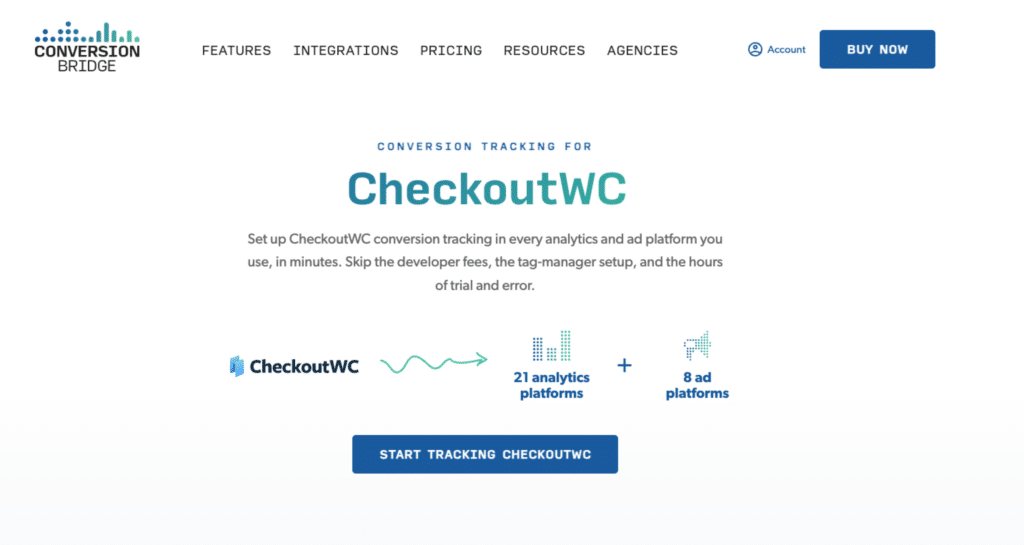
To see abandonment, you need your store firing the full funnel into GA4: add to cart, begin checkout, and purchase, at minimum. The setup we use on our own store is ConversionBridge, a single plugin that sends those events to GA4 (and to ad platforms like Google Ads, Meta, and TikTok if you run them).
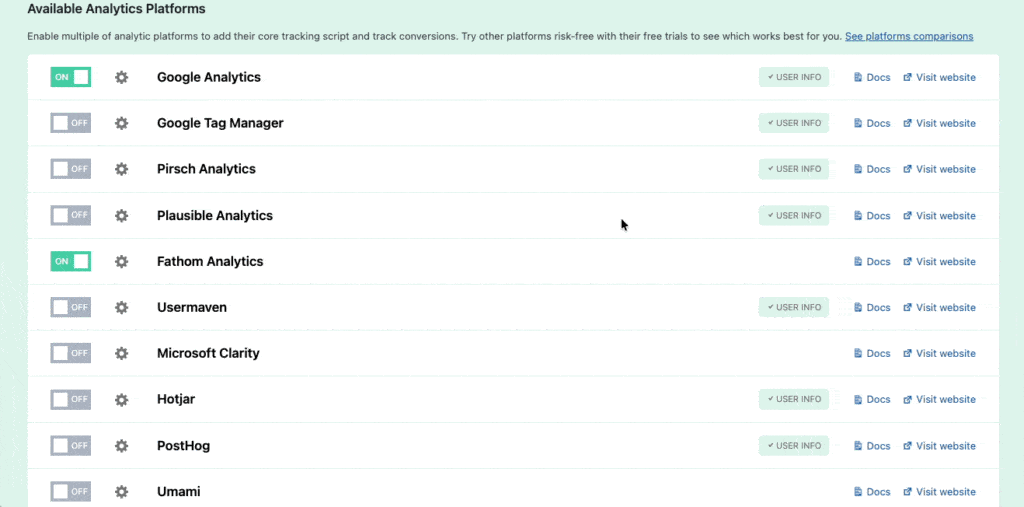
Here’s why we reach for ConversionBridge specifically, rather than bolting on a separate pixel plugin for every platform. It connects your store to just about every analytics and ad platform you’d actually use, from one settings screen: GA4, Plausible, Fathom, Microsoft Clarity, PostHog and more than a dozen others on the analytics side, plus Google Ads, Meta, TikTok, Pinterest, LinkedIn, Microsoft, Reddit, and X for ads.
The alternative is a different plugin for each one (or a Google Tag Manager container you’re afraid to touch), all firing their own events and all drifting out of sync after the next update.
A few things make ConversionBridge more than a convenience:
- One place to manage everything, instead of five plugins and a tag manager competing over the same events.
- Server-side Enhanced Conversions for the ad platforms, so ad blockers and cookie limits don’t quietly erase your attribution data.
- Reddit and LinkedIn have no real WooCommerce plugin of their own, so without something like ConversionBridge, tracking them at all means custom GTM work.
What makes it worth calling out here, specifically, though: is the dedicated CheckoutWC integration. On top of the standard ecommerce events, it reports the in-checkout steps that no other setup captures without custom code:
- Begin checkout
- Shipping method selected
- Payment method selected
- Coupon applied
- Order bump added
- Item removed from cart
That granularity changes abandonment from a single number into a map. You stop asking “how many people left?” and start asking “where did they leave?” People dropping after the shipping step is a shipping-cost problem. People dropping at payment is a trust or gateway problem. People removing items is a pricing or expectation problem. Each one points at a different fix.
Once ConversionBridge is feeding GA4, your abandonment view is simply begin_checkout minus purchase, sliced by whatever funnel step you care about. The leak finally has a size and a location.
If you only need Google Analytics and nothing else, WooCommerce Google Analytics Pro by SkyVerge covers the standard GA4 events and works with CheckoutWC out of the box. The trade-off is that it won’t capture those deeper checkout funnel steps, so you get the number without the map.
How to confirm your tracking is actually working
Before you trust a single number, prove the events are firing. This is the step most stores skip, and it’s why so many abandonment dashboards quietly sit at zero while the setup looks fine.
For the GA4 side, turn on GA4’s DebugView (the Google Analytics Debugger browser extension is the easy way in) and walk your own funnel: add something to the cart, start checkout, then stop. You should watch begin_checkout land in DebugView in real time. Run a test order and watch purchase land too. Seeing the first event fire without the second is the abandonment signal, confirmed with your own eyes instead of taken on faith.
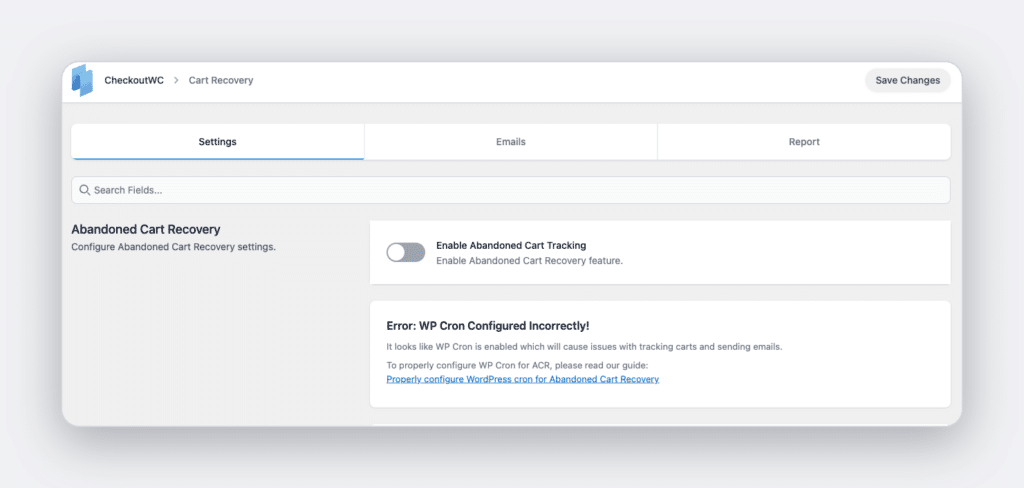
For CheckoutWC’s recovery tracking, there’s a safer way to test than abandoning real carts and waiting around. Switch on simulation mode, which tracks carts and prepares recovery emails without ever sending them, and drop the abandonment threshold from its 15-minute default down to a minute or two. Enter an email at checkout, abandon, and wait for the threshold to pass. The cart should show up in your recovery dashboard as abandoned. If it doesn’t, check Tools > Scheduled Actions for the recurring detection task. On low-traffic or staging sites, WordPress cron often stalls, and that one stalled job is the most common reason recovery tracking looks broken when nothing is actually wrong.
Once both sides check out, switch simulation mode back off and set the threshold back where you want it.
Step two: recovery is a different job
Measuring abandonment and recovering it are two separate problems, and this is where a lot of stores stall. They install a tracking plugin, confirm that yes, people really are abandoning, and then sit there staring at the bad news with no way to act on it. Visibility without recovery is just better-documented loss.
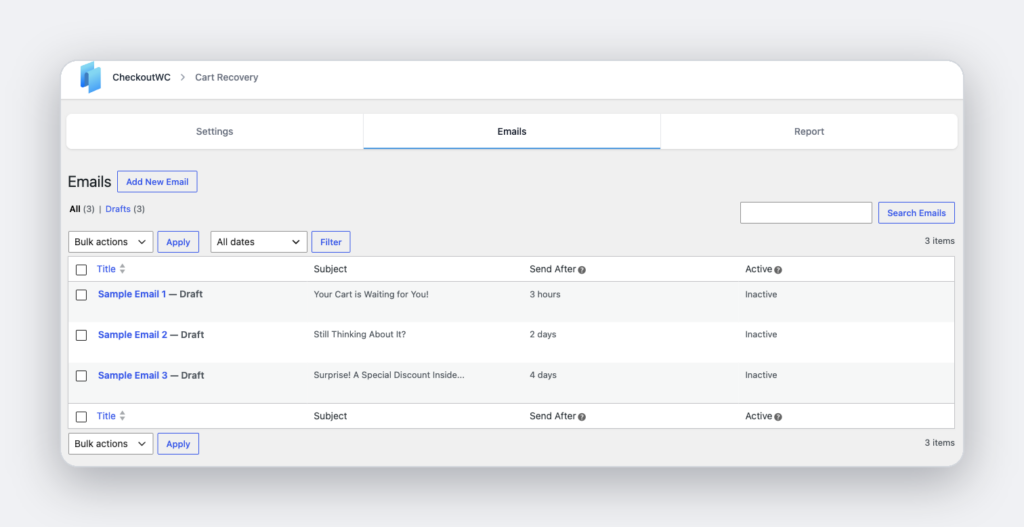
Recovery means reaching back out to someone who left and bringing them back to a checkout that still has their items in it. CheckoutWC includes this as a built-in feature (Abandoned Cart Recovery), so there’s no separate recovery tool to bolt on. We’ve written a full abandoned cart recovery strategy guide on the timing, subject lines, and incentives that bring people back. Here, since we build it, let’s look at how the mechanics actually work under the hood:
- The moment a shopper enters their email at checkout, their cart is tracked, even if they never place the order. No email, no tracking, so capturing the email early matters.
- After a quiet period (15 minutes by default, and you can change it), the cart is marked abandoned and your first recovery email is scheduled.
- You write the sequence. Pro plans send an unlimited number of recovery emails, each on its own delay, so you can do a gentle nudge at one hour and a stronger one a day later.
- When the shopper clicks the link in that email, CheckoutWC rebuilds their cart item by item and drops them straight onto checkout. They don’t start over, they pick up where they left off.
That last detail is the one that quietly drives recovery rates. The lower the friction between “I got the email” and “I’m checking out again,” the more carts come back. A link that lands on a pre-filled checkout converts far better than one that dumps someone on the homepage to rebuild their order from memory.
Close the loop: measure, recover, measure again
Here’s where the two halves become more than the sum. Recovery without measurement is a black box (you’re sending emails and hoping). Measurement without recovery is a diagnosis with no treatment. Run them together and you get a loop:
- ConversionBridge shows you the size and shape of the leak in GA4.
- CheckoutWC recovery catches the people slipping through it.
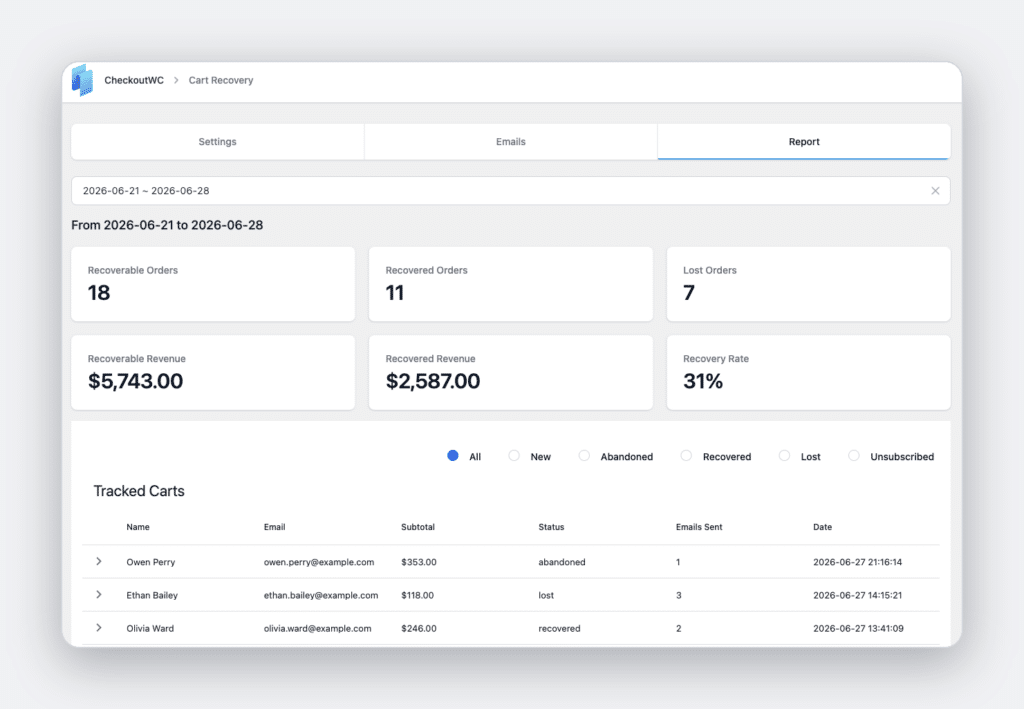
- CheckoutWC’s own recovery dashboard reports your recovery rate and the actual revenue you’ve clawed back, so you can see the recovered dollars next to the leak you measured in step one.
That second number, recovered revenue, is the one to watch. It turns “abandonment” from a vague anxiety into a line item you’re actively growing. And because ConversionBridge keeps feeding the funnel data, you can tell whether a checkout change (a shorter form, a clearer shipping estimate, a new order bump) shrank the leak at the source, which is always cheaper than recovering carts after the fact.

The simplicity of Shopify with the power of WooCommerce. Replace your WooCommerce checkout page with CheckoutWC to boost sales and reduce cart abandonment.
Measurement vs recovery: which tool does what
| Job | Tool | What it gives you |
|---|---|---|
| See add-to-cart, begin-checkout, purchase in GA4 | ConversionBridge | The size of the leak |
| See where in checkout people drop (shipping, payment, coupon) | ConversionBridge + CheckoutWC funnel events | The location of the leak |
| Bring abandoners back to a pre-filled checkout | CheckoutWC recovery emails | The plugged leak |
| Track recovery rate and recovered revenue | CheckoutWC recovery dashboard | The money you got back |
Frequently asked questions
Does GA4 track abandoned carts automatically?
No. GA4 has no native abandoned-cart event. You measure abandonment as the difference between begin_checkout and purchase, which means you first need those events firing reliably. A plugin like ConversionBridge sends them; standard WooCommerce checkout does not fire begin_checkout on its own.
Do I need a separate plugin to recover abandoned carts on CheckoutWC?
No. Abandoned Cart Recovery is built into CheckoutWC. Once enabled, it tracks carts as soon as a shopper enters their email and emails them on a schedule you control, with a link that rebuilds their cart and lands them back on checkout.
When is a cart counted as abandoned?
By default, 15 minutes after the shopper stops interacting with checkout. That threshold is configurable, so you can make it shorter or longer to fit your buying cycle.
Will recovery work if I don’t track analytics?
Yes, recovery and analytics are independent. But you’ll be flying blind on how big your abandonment problem is and whether your checkout changes are helping. Pairing the two is what turns recovery from a set-and-forget feature into a revenue lever you can steer.
Start plugging the leak
If you’re already on CheckoutWC, turning on Abandoned Cart Recovery is the fastest revenue you’ll find in your settings, because it acts on demand you already earned and then lost. Pair it with ConversionBridge so you can watch the leak shrink and the recovered revenue climb in the same place. Measure it, recover it, then measure it again.
Set up Abandoned Cart Recovery in CheckoutWC and see how much of that 70% you can win back.